Hunter Benefits Consulting Group

Plan Sponsor 101

Client Annual Checklist

This page shows everything you may need during the plan year to maintain a healthy plan. Each item has a brief description, an explanation of why you need it, and an action item of what you need to do.

Watch for a walkthrough of this page.

The Setting Every Community Up for Retirement Enhancement (SECURE) Act of 2019 was signed into law on December 20, 2019, and took effect on January 1, 2020. It represents the most significant retirement legislation since the Pension Protection Act of 2006, aiming to expand access to retirement savings and improve financial security for Americans. 

Key Provisions of the SECURE Act 1.0 

  1. Required Minimum Distributions (RMDs)The age at which individuals must begin taking RMDs from retirement accounts was raised from 70½ to 72, allowing more time for tax-deferred growth.
  2. IRA Contributions Beyond Age 70½

Previously, individuals could not contribute to traditional IRAs after age 70½. The SECURE Act removed this restriction, allowing contributions at any age as long as the individual has earned income. 

  1. 10-Year Rule for Inherited IRAs

Most non-spouse beneficiaries of inherited IRAs must now withdraw the entire balance within 10 years of the account holder’s death, eliminating the “stretch IRA” strategy. 

  1. Multiple Employer Plans (MEPs)

The Act allows unrelated employers to join together in Pooled Employer Plans (PEPs), reducing administrative costs and expanding access to retirement plans for small businesses. 

  1. Part-Time Employee Eligibility

Long-term part-time workers (those who work at least 500 hours per year for three consecutive years) must be allowed to participate in 401(k) plans. 

  1. Increased Auto-Enrollment Cap

The cap for automatic enrollment safe harbor plans increased from 10% to 15% of pay, encouraging higher savings rates. 

_____________________________________________________________________  

SECURE 1.0 Tax Credits (2019) 

The original SECURE Act introduced several tax incentives aimed at encouraging small businesses to establish retirement plans: 

Startup Plan Credit: Employers with 100 or fewer employees could claim a tax credit of 50% of qualified startup costs, up to $5,000 per year, for the first three years of a new retirement plan. 

Automatic Enrollment Credit: An additional $500 annual credit is available for three years if the plan includes an Eligible Automatic Contribution Arrangement (EACA). 

Eligibility: These credits were available to employers who had not offered a retirement plan in the previous three years and who had at least one Non-Highly Compensated Employee (NHCE) participating.  

A retirement plan is considered “top-heavy” when the account balances of key employees (such as owners or officers) make up more than 60% of the total plan assets. 

Here’s a quick breakdown of what that means: 

  • Key employees typically include: 
  • Owners of more than 5% of the company 
  • Officers earning above a certain threshold (e.g., $220,000 in 2024) 
  • Owners of more than 1% earning over $150,000 
  • Why it matters: If a plan is top-heavy, the IRS requires the employer to make minimum contributions (usually 3% of compensation) to the accounts of non-key employees, even if they don’t contribute themselves. 


What Is Auto Escalation? 

Auto Escalation is a feature in retirement plans that automatically increases the percentage of employee contributions over time. This helps employees gradually save more for retirement, without requiring them to manually adjust their contribution levels. 

Typically, the contributions will increase by a fixed percentage (e.g., 1%) each year, with the goal of boosting retirement savings steadily over time. This process is designed to help employees save more, especially when their salaries increase over the years. 


Why Auto Escalation Matters 

Many employees struggle to save enough for retirement. Auto Escalation combats this issue by: 

  • Encouraging consistent increases in savings over time. 
  • Helping employees maximize retirement contributions, even if they don’t actively manage their savings strategy. 
  • Reducing the risk of employees under-saving for retirement. 

Best Practice: Most employees experience a natural salary increase each year. Auto Escalation aligns their contribution growth with these salary bumps, making it easier to save more without sacrificing immediate take-home pay. 


How Auto Escalation Works 

  1. Automatic Increase: With Auto Escalation, employee contribution rates are automatically increased by a set percentage—typically 1%—each year. 
  1. Start and Stop Points: Employees can typically select their initial contribution rate at enrollment, and once Auto Escalation begins, it will automatically increase the rate yearly. Some plans have a cap, often around 10% to 15%, to prevent contribution rates from becoming too high. 
  1. Employee Control: 
  • Employees can opt-out or adjust the rate of increase at any time. 
  • They can also stop or suspend Auto Escalation if they no longer want their contributions to increase automatically. 
  1. Timing: The contribution increase usually happens at the beginning of the year or on the anniversary of the employee’s enrollment in the plan. 


Benefits of Auto Escalation 

  • Simplicity: Employees don’t need to take action every year. The system works automatically, making saving easier. 
  • Higher Savings Rate: Over time, Auto Escalation helps employees increase their contribution rates, ensuring they are saving enough for retirement. 
  • Improved Financial Security: With more consistent contributions, employees are more likely to reach their desired retirement savings goals. 
  • Automatic Adjustment for Inflation: Since many employees receive yearly salary increases, Auto Escalation ensures that their retirement savings grow in line with those increases. 


Key Points to Remember 

  • Flexible: Employees can change their Auto Escalation settings, including opting out or adjusting the annual increase percentage. 
  • Effective Saving Strategy: While Auto Escalation is not a substitute for careful retirement planning, it is an effective way to boost savings gradually over time. 
  • Plan-Specific Options: Some plans may have different rules regarding Auto Escalation. Check with your plan administrator for specific details, such as starting percentages, escalation rates, and caps on contributions. 


Employer’s Role in Auto Escalation 

Employers offering Auto Escalation in their retirement plans play a crucial role in ensuring its success: 

  • Communicating the benefit: Employers should clearly explain Auto Escalation to employees during onboarding and throughout the year. 
  • Providing ongoing support: Employers can help by answering questions, providing guidance, and making the process simple for employees. 
  • Monitoring contributions: Employers can ensure the system is running smoothly and that contributions are properly adjusted each year. 


Example of Auto Escalation in Action 

Let’s say you’re enrolled in a 401(k) plan with an initial contribution rate of 3%. 

  • Year 1: You contribute 3% of your salary. 
  • Year 2: Your contribution automatically increases to 4% (1% escalation). 
  • Year 3: Your contribution increases again to 5%, and so on. 
  • This process continues until you reach the cap (e.g., 10%). 


Frequently Asked Questions (FAQs) 

Can I opt-out of Auto Escalation? 

Yes, you can opt-out of Auto Escalation or adjust your contribution increase rate at any time. Your retirement plan provider or administrator will be able to guide you through the process. 

Is there a limit to how much my contributions can increase? 

Yes, many retirement plans have a cap on the contribution percentage increase. This ensures that contributions do not become too burdensome. The cap is typically set between 10% and 15% of salary. 

Will Auto Escalation affect my take-home pay? 

Yes, since Auto Escalation increases the percentage of your paycheck that goes into the retirement plan, it will reduce your immediate take-home pay. However, this is generally offset by salary increases, which helps you save more without feeling the financial impact. 

What Is Deferral Deposit Timing? 

Deferral deposit timing refers to the deadline by which employee contributions (elective deferrals) must be deposited into the company’s retirement plan (such as a 401(k) or 403(b)) after being withheld from employee paychecks. 

These deferrals are typically taken from employees’ wages each payroll period. The timely deposit of these funds into the plan is not only a best practice—it is required by federal law and monitored by the Department of Labor (DOL). 


Why It Matters 

Late or inconsistent deposits can: 

  • Trigger Department of Labor (DOL) and IRS scrutiny 
  • Result in corrective actions, such as lost earnings restoration 
  • Lead to penalties or disqualification of the retirement plan 
  • Undermine employee trust and fiduciary responsibility 


Deposit Timing Requirements 

For Small Plans (Fewer than 100 participants): 

  • Employee deferrals must be deposited as soon as administratively possible, but no later than 7 business days after the paycheck date. 

For Large Plans (100 or more participants): 

  • There is no fixed “safe harbor” period. Contributions must be deposited as soon as reasonably possible, which may be sooner than 7 days. 
  • The DOL expects the employer to match the speed of the fastest deposit made during the year. 


Employer Responsibilities 

As an employer, you are responsible for: 

  • Withholding deferrals from employee paychecks 
  • Depositing those funds into the plan in a timely and consistent manner 
  • Documenting your payroll and deposit process to prove compliance 

Best Practice Tip: Establish a set schedule for deposits (e.g., within 2-3 business days of payroll) and follow it consistently. 


Common Mistakes to Avoid 

  • Waiting until the tax deposit deadline – Retirement plan rules are stricter than tax remittance rules. 
  • Batching deposits instead of processing after each payroll 
  • Not updating processes after a payroll vendor change or internal reorganization 


How We Help 

As your retirement plan service provider, we: 

  • Monitor your deposit timing patterns 
  • Offer guidance on compliance requirements 
  • Provide support to streamline your payroll-to-plan process 


What is Automatic Enrollment? 

Automatic enrollment is a plan feature that allows employers to automatically enroll eligible employees in their 401(k) plan without requiring the employee to actively sign up. Instead of waiting for employees to opt in, the plan sponsor automatically starts deducting contributions from their paychecks – after they’ve been notified beforehand of course. Employees always have the right to opt out if they choose not to participate. 

Think of it as the default being “yes” instead of “no” when it comes to retirement savings. This simple change has proven to dramatically increase participation rates, especially among younger employees who might otherwise put off enrolling in their 401(k). 

New Requirements Starting in 2025 

Starting in 2025, any new 401(k) or 403(b) plan must include automatic enrollment. This applies to plans with eligible employees, with exceptions for small businesses with 10 or fewer employees. 

The new for 2025 automatic enrollment feature must meet specific requirements: 

  • Starting contribution rate: Between 3% and 10% of the employee’s compensation 
  • Annual increases: The contribution rate must automatically increase by 1% each year 
  • Maximum rate: The auto-escalation can go up to 10% (though it can continue to 15% if the plan chooses) 
  • Opt-out rights: Employees must be able to opt out completely or change their contribution rate at any time 

The Automatic Enrollment Tax Credit 

To encourage employers to add automatic enrollment features, the government offers a tax credit worth up to $500 per year for three years. That’s a total of $1,500 in tax credits over three years for eligible employers. 

Who Qualifies for the Credit? 

The automatic enrollment credit is available to employers with 100 or fewer employees who earned at least $5,000 in the preceding year. The plan must also meet the eligible automatic contribution arrangement (EACA) requirements to qualify. 

How It Works 

The credit is straightforward: if you add automatic enrollment to your plan and meet the requirements, you can claim $500 per year for three consecutive years. The key is that you must keep the automatic enrollment feature active throughout this period to continue qualifying for the credit. 

This credit is separate from and in addition to other retirement plan tax credits, such as the startup cost credit for establishing a new plan. 

Why This Matters for Your Business 

Automatic enrollment dramatically increases participation rates—from around 30-40% to over 85%. This helps your employees build better retirement security while potentially reducing administrative headaches from low participation. 

The automatic enrollment credit effectively subsidizes the implementation costs, making it easier for small businesses to offer competitive retirement benefits. If you’re establishing a new plan or considering adding automatic enrollment to an existing plan, the 2025 requirements and available tax credits make this an important year for plan design decisions. 

  • What are they? Assets are the plan’s investments plus any money that the plan expects to receive (receivable contributions to be deposited after the end of the plan year). The assets show the total value of the Plan and Trust. 
  • Why are they important for Defined Contribution (DC) plans? The assets in the plan must be reconciled to make sure that all the funds are in the right account for each participant and in the right source. The assets are not reconciled at the individual investment level. 
  • Why are they important for Defined Benefit (DB) plans? The total value of the assets in the plan, either at the beginning or at the end of the year, affects how much money the plan needs to contribute. Therefore, the assets in the plan must be reconciled to make sure that all the deposits and withdrawals have been recorded correctly. 
  • How do we get them? In most cases, we can download the assets directly from your record keeper. In some cases, you may need to give us copies of the asset statements. 

  • What is it? The Annual Questionnaire is a list of questions that ask for information that we can’t get from the employee census or from the company that manages your plan’s assets (recordkeeper). The questions are different for different types of plans, so please follow the “skip ahead” instructions carefully. 
  • Why is it important? The Annual Questionnaire helps us track any changes in your company that may affect your plan. For example, changes in ownership or the amount of discretionary money you want to contribute to your plan. 
  • How do you complete it? You need to fill out the online form and submit it to us. 

  • What is it? The Employee Census is a list of ALL W2 employees who worked or were paid during the year (your Plan Year). 
  • Why is it important? The Employee Census gives us the information we need to make sure your plan follows the rules and regulations (compliance work). For example, we need to know who can join the plan, who can’t, who earns more than a certain amount (Highly Compensated Employee), who owns part of the company (Key Employee), and so on. The list must include all employees, even those who are in a union or not eligible for the plan. This is a good time to check your payroll records and make sure everyone’s status is correct. 
  • How do you provide it? You need to fill out our template correctly, or give us direct access to the data from the company that handles your payroll. Please note that if your plan document defines compensation as being from plan entry, we will need full year and eligible compensation for that employee. 

  • What is it? The ERISA Fidelity Bond is an insurance policy that the Employee Retirement Income Security Act (ERISA) requires you to have. It covers at least 10% of the value of your plan’s investments and money (assets). 
  • Why is it important? The ERISA Fidelity Bond is a cheap way to protect your participants’ account balances in the event of theft or fraud. 
  • How do you get it? You need to buy the ERISA Fidelity Bond. We will ask you for the coverage details in the Annual Questionnaire. You can usually add this to your existing property and casualty insurance policy.   

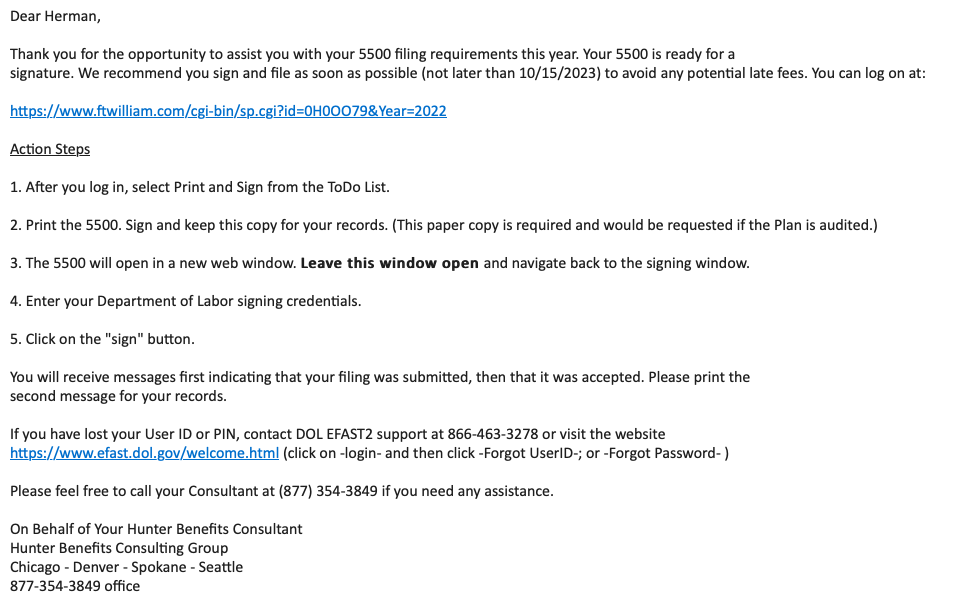
  • What is it? The Form 5500 is an information form that the Internal Revenue Service (IRS) requires you to fill out and submit online to the Department of Labor (DOL). It is available to the public and shows how your plan is doing. You need to submit it within 7 months after the end of your plan year. 
  • Why is it important? The Form 5500 is a key tool that the IRS and DOL use to check if your plan follows the rules and regulations (compliance). Submitting the Form on time starts the clock for the Statue of Limitations, which limits how long the IRS and DOL can audit your plan. Submitting the Form late can cost you a lot of money in penalties. 
  • How do you complete it? You need to register with the DOL for signing credentials, if you haven’t done so already. (The credentials are personal for you and don’t depend on where you work or who prepares the Form 5500.) If you don’t have the credentials, click here to get started. You also need to make sure that we have all the data we need to prepare a complete and accurate Form 5500. We will then prepare a Form 5500 for you to submit online. 

  • What are they? Distributions are payments that you need to make to some of your participants from the plan. We will give you a list of participants who need to get paid by certain dates. One list will have participants who have less than $5,000 in their account that belongs to them (their vested account balance) – if any. The other list will have participants who are older than 72 and must take a minimum amount from their account every year (Required Minimum Distribution) – if any. 
  • Why are they important? Your plan’s rules (Plan Document) say that you must pay out participants who have a vested account balance of less than $5,000. They can choose to take the money, but if they don’t, you must move their balance to a separate account that is not part of the plan (an Individual Retirement Account or IRA). Participants who are older than 72 must take some of their money as a taxable payment every year. They can’t move this money to an IRA. 
  • How are distributions paid? You need to follow the instructions that we give you to make sure that you pay the right amounts to the right people on time. Please remember that we are here to help if you have any questions or problems. 

  • What is it? A Large Plan Audit is a review of your plan’s financial statements by a qualified outside accountant. It is NOT the same thing as being audited by the Internal Revenue Service (IRS) or the Department of Labor (DOL). You need a Large Plan Audit if you have a “Large Plan”. A “Large Plan” has more than 100 participants with account balances in your plan. If this is a new plan, you count the participants on the last day of your plan year. If this is not the first year of your plan, you count the participants on the first day of your plan year. It doesn’t matter if the participants are still working for you or not, as long as they have money in the plan. 
  • Why is it important? It is an extra part of the Form 5500 that you need to submit to the IRS and DOL every year. The Form 5500 shows how your plan is doing and if it follows the rules and regulations (compliance). 
  • How is this accomplished? You need to hire a suitable accountant to do the audit every year. If you don’t know where to start, we can help you with some suggestions. Most of the auditor’s work will involve dealing with you directly. We will try to help the auditor as much as we can when possible. 

It is important that payroll deductions and calculations use the correct compensation to maintain the qualified status of the plan. The Plan Document dictates what compensation should be included in the calculation. Please review the plan highlights or SPD that have been provided. If you have any questions, please contact your plan administrator.


  • What are they? Annual Notices are documents that you need to give to all employees who will be in the plan on the first day of the following plan year. The notices tell them about their rights and responsibilities in the plan. You need to give them the notices between 60 and 30 days before the start of your plan year. Some of these notices come from us and some come from the company that manages your plan’s assets (recordkeeper). 
  • Why are they important? The Annual Notices help you keep your plan in line with the rules and regulations (compliance) from the Internal Revenue Service (IRS) or the Department of Labor (DOL). 
  • How are they provided? You need to make sure that you give the notices from us and from your recordkeeper to your employees on time. Each recordkeeper has a different way of giving you the notices or sending them for you. If you want us to help you with this for an extra fee contact [email protected].  

  • What is it? An Actuarial Certification is a document that a qualified actuary signs to confirm the minimum, maximum and recommended contribution amount for your plan each year. 
  • Why is it important? Defined Benefit and Cash Balance Plans are types of plans that let you provide large benefits and tax deductions for yourself and your employees. The tradeoff for the big deductions is that you need to make sure that your contribution fits within certain rules and standards (funding criteria). 
  • How is this done? The only extra thing you need to do is to fill out and send the actuary’s deposit contribution form on time. 

  • What is it? PBGC stands for Pension Benefit Guaranty Corporation. It is a federally chartered corporation that provides an insurance program to protect pension based retirement benefits. 
  • Why is it important? It is required for most employers. You don’t need it if you are the only owner and employee of your business, or if you are a professional (doctor, attorney, accountant, architect, etc.) with less than 25 employees in your plan. Everyone else does. 
  • How do you pay it? You need to have your own PBGC log-in credentials. If you don’t have them yet, click here. That’s where you will pay the annual PBGC premium, which is based on the number of participants and the amount of money in your plan. The actuary will tell you how much the premium is. 

  • What is this? Deductions from employee pay are per payroll according to the employee’s deferral elections. (Pre-Tax 401(k) and/or Roth after-tax 401(k)). 
  • Why is this important? This is how the plan is funded. The Department of Labor requires qualified retirement plan employee deferral deposits to be made within 7 business days from payroll, and for large plans with 100+ participants, the requirement is 1 business day from payroll.  
  • Client’s responsibility for active elections. The plan sponsor is obligated to ensure that the payroll deductions and deposits to the plan are correct, match the participant’s deferral election and are made timely. 
  • Client’s responsibility for passive (Auto-Enrollment) elections Ensure new participants are provided with the correct notices timely and that deferrals start on time. Watch for annual auto increase amounts for those who are auto-enrolled (if applicable). The IRS/DOL has strict rules regarding auto-enrollment, and it is expensive to correct.  

  • What is this? Several types of employer contributions are outlined in the plan document (some or all may apply). The contribution deadline depends on your Entity type (Sole Proprietor, Partnership, S Corporation, C Corporation, etc.), plan document specifications and tax return extensions. 
  • Safe Harbor – Mandatory employer contributions, calculated using a formula, and can be made per payroll or plan year according to your plan document. Usually 3% for all eligible employees or a 4% match for those who are deferring.
  • Employer Non-Elective (Profit Sharing) – Discretionary employer contributions that must pass IRS-required compliance testing. Allocations are typically provided after the plan year’s end to ensure testing passes. The plan document details the formula and requirements for the allocation.
  • Match Contributions – Discretionary employer contributions calculated on a specific formula dependent on the employee’s deferral rate. Allocations can be made per payroll or plan year according to your plan document. The plan document details the formula and requirements used for the allocation.
  • Cash Balance (DB Only) – is a mandatory employer contribution made under a Cash Balance plan. These contributions are calculated using a specific formula determined by the plan document and tested by the actuary each year to ensure testing passes. 

  • What is this? An optional, extra-cost service if you would like to have an idea of what your minimum or optimum contribution amount would be, or whether or not you’re going to pass the 401(k) non-discrimination test.
  • Why is it important? This can help you budget and plan your cash flow needs.
  • How is this accomplished? At any point in the plan year, or when you see the twice yearly email, let your consultant know that you’d like this done. They will work with you to determine what data is necessary and to discuss what you would like tested.